Cleanup
The Cleanup page scans your system for disk space that pip has accumulated over time - download caches, build artefacts, and bytecode directories - and lets you delete them selectively or all at once.
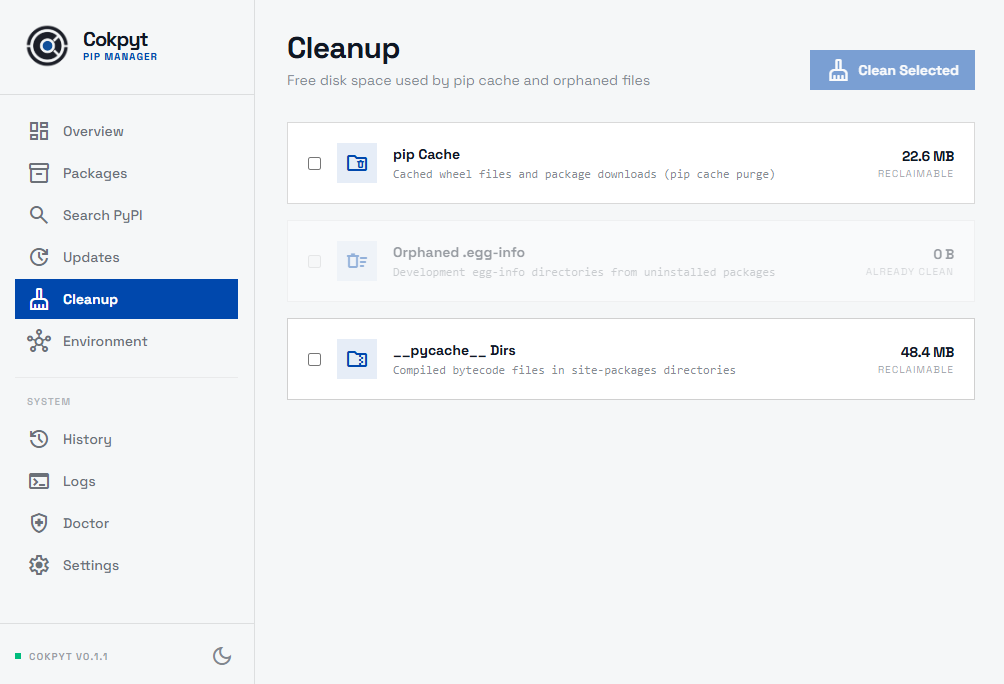
What Gets Scanned
| Target | What it is | Typical size |
|---|---|---|
| pip download cache | Cached wheel and sdist files stored by pip to speed up re-installs | Can grow to hundreds of MB over time |
.egg-info directories | Metadata directories left behind by editable (pip install -e) installs and older setuptools builds | Usually small (KBs each) but they accumulate |
__pycache__ folders | Compiled Python bytecode .pyc files generated by the interpreter | Grows proportionally to project size |
Running a Cleanup
- Navigate to the Cleanup page. Cokpyt automatically scans for each category and shows the discovered size next to each item.
- Check the boxes next to the items you want to remove.
- Click Run Cleanup.
Cokpyt deletes the selected artefacts and displays a summary showing how much disk space was recovered.
Safety Notes
- pip cache - safe to delete at any time. pip will re-download packages if needed; you just lose the offline-install speedup.
.egg-infodirectories - safe to delete for packages that are no longer under active development on your machine. Editable installs may regenerate them on the next import.__pycache__folders - safe to delete at any time. Python regenerates.pycfiles on demand; you may notice a one-time slowdown on the next import.
tip
Running Cleanup periodically (especially after removing many packages) is a quick way to reclaim gigabytes on developer machines.