Doctor
The Doctor page runs a suite of automated diagnostics against your Python environment and tells you exactly what is healthy, what needs attention, and how to fix it.
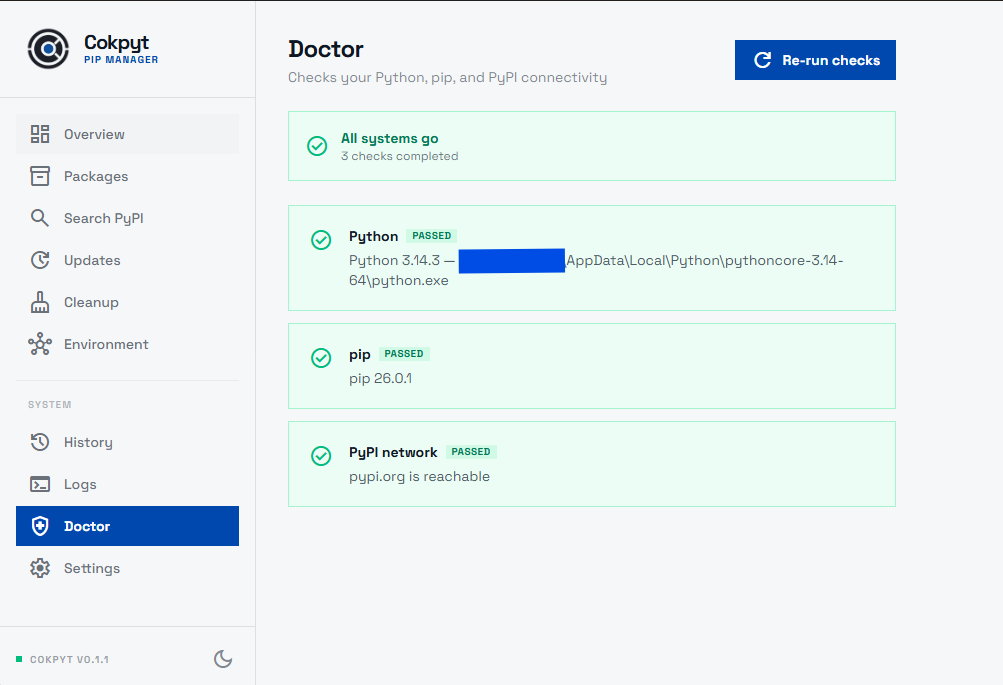
Running the Checks
Navigate to Doctor and click Re-run checks. Cokpyt will execute each diagnostic in sequence and display a status badge next to every check.
What Gets Checked
| Check | What it verifies |
|---|---|
| Python reachable | python (or python3) is on the system $PATH and returns a version string |
| pip installed | pip is importable and returns a version |
| pip up to date | Your pip version is current; warns if a newer version is available |
| PyPI connectivity | The machine can reach https://pypi.org - catches firewall or proxy issues |
| Virtual environment | Whether a venv / virtualenv is currently active (informational) |
Status Levels
Each check resolves to one of three states:
| Badge | Meaning |
|---|---|
| ✅ Passed | Everything is in order |
| ⚠️ Warning | The check found something worth noting but it won't stop pip from working |
| ❌ Failed | Something is broken and pip operations are likely to fail |
Fix Hints
Any Warning or Failed check includes:
- Plain-English explanation - what exactly went wrong
- Concrete suggestion - the specific command or setting change that should resolve it
For example, if pip is outdated the hint might read:
Run
python -m pip install --upgrade pipto update to the latest version.
When to Use Doctor
- First run - after installing Cokpyt, run Doctor to confirm the environment is set up correctly.
- After switching environments - if you activate a different
venv, run Doctor to verify the new environment is healthy. - Debugging - if an install or search fails unexpectedly, Doctor's PyPI connectivity check quickly rules out network issues.
Manual Verification
The Doctor page is read-only - it only runs diagnostics. It never modifies your environment. If a check suggests running a command (e.g. upgrading pip), execute that command in a terminal and then click Re-run checks to confirm the fix worked.