History
The History page is a permanent, searchable audit trail of every install, upgrade, and uninstall action that Cokpyt has ever performed. It persists across app restarts so you always know what changed in your environment and when.
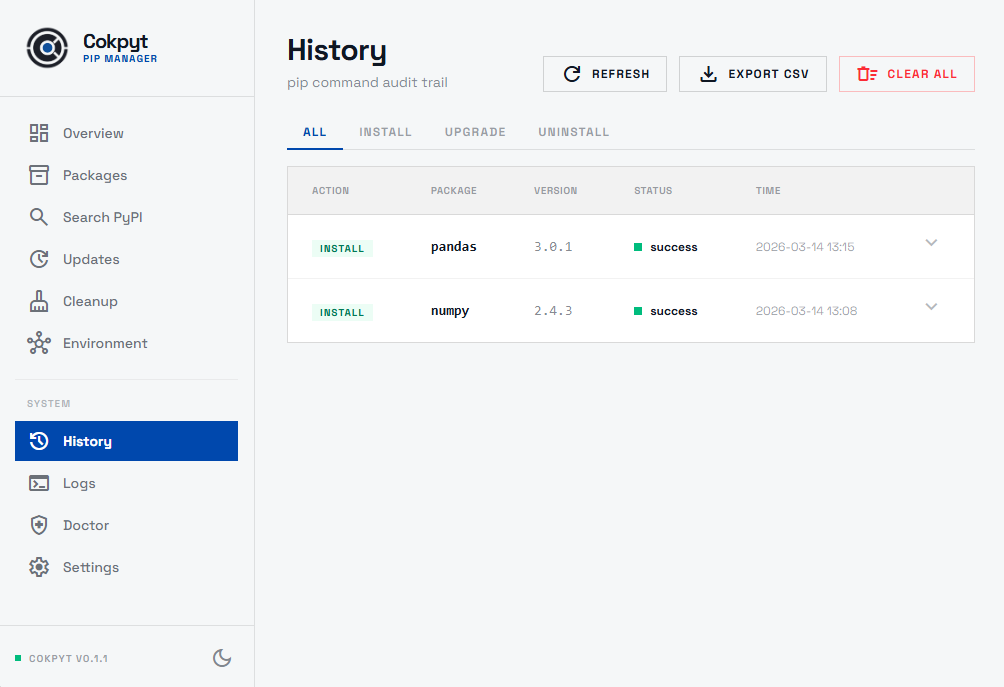
History Table
Each row in the history table represents a single pip operation and shows:
| Column | Description |
|---|---|
| Package | Name of the package that was acted on |
| Version | The version targeted by the action |
| Action | Install, Upgrade, or Uninstall |
| Status | success (green) or failed (red) |
| Timestamp | Date and time the action was run |
Expanding a Row
Click any row to expand it and see the full pip command that was executed. This is useful for reproducing an action manually or for debugging a failed operation.
Filtering by Action Type
Use the tab bar at the top of the page to filter the list:
- All - shows every entry
- Install - shows only install actions
- Upgrade - shows only upgrade actions
- Uninstall - shows only uninstall actions
Exporting to CSV
Click the Export CSV button in the page header to download the entire history log as a .csv file. The export includes all columns: package name, version, action, status, and timestamp. Useful for sharing with a team, keeping personal change notes, or importing into a spreadsheet.
Clearing the History
Click Clear All in the page header to wipe the history log. Because this is irreversible, Cokpyt requires a two-step confirmation - a dialog will appear asking you to confirm before any data is deleted.
Clearing history is permanent. Export to CSV first if you want to keep a copy.